Convert HEIC & HEIF to JPG, PNG, or PDF
Privately on Your PC
The fast, private way to convert iPhone photos to universally compatible formats. Process hundreds of HEIC and HEIF files in seconds. Preview files in Windows Explorer.
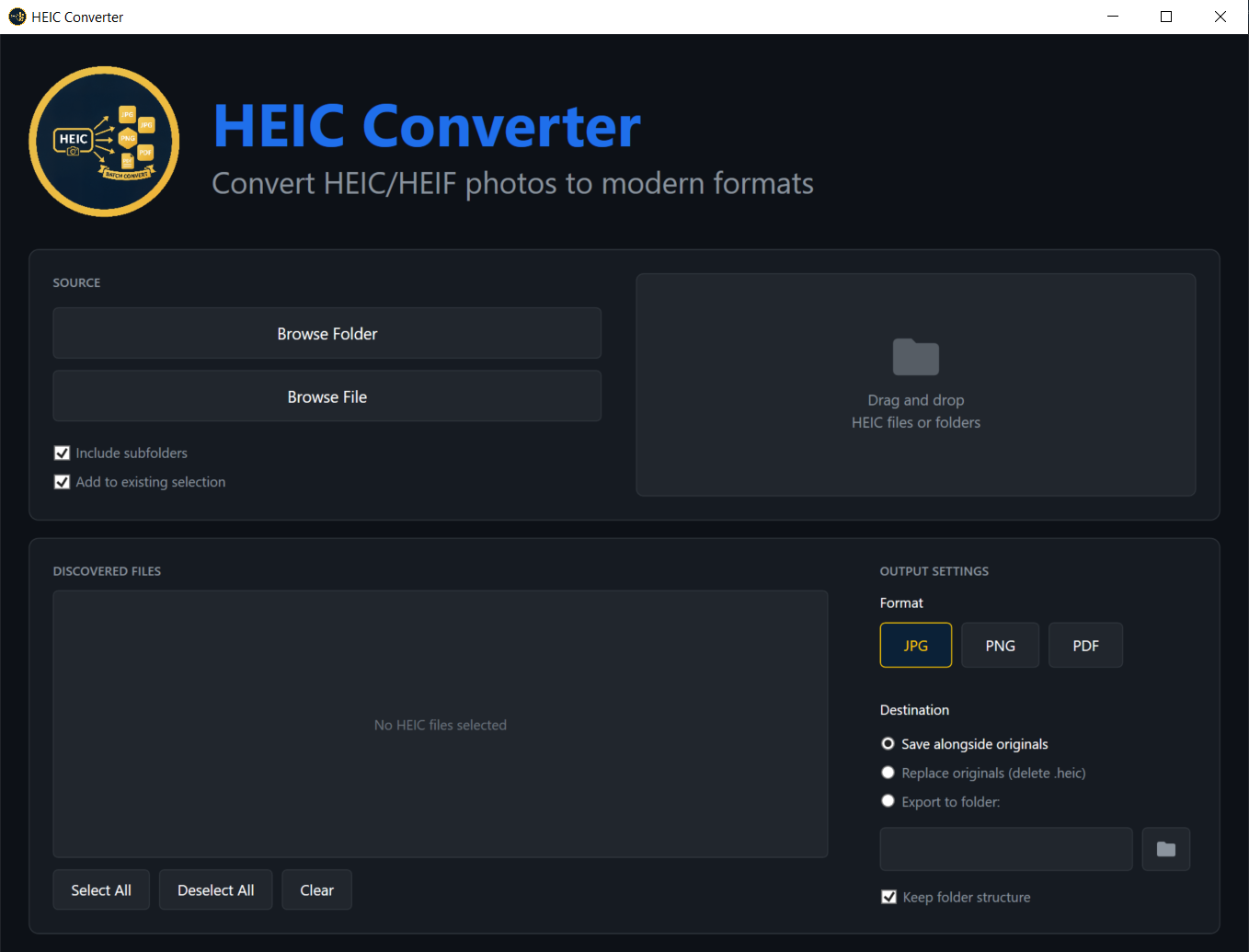
Fast, Private, and Simple
100% Local Processing
Your photos never leave your computer. Everything is processed locally.
Blazing Fast
Convert hundreds of photos in seconds with parallel processing. No upload/download bottleneck.
Multiple Formats
Export to JPG for universal compatibility, PNG for lossless quality, or PDF for document sharing.
Bulk Conversion
Drag and drop entire folders. HEIC Converter recursively scans all subfolders and converts everything.
Windows Explorer Preview
Preview HEIC and HEIF thumbnails and images directly in Windows Explorer—no need to open files one by one.
Lifetime License
one-time payment
- ✓ Unlimited conversions
- ✓ HEIC & HEIF support
- ✓ All formats (JPG, PNG, PDF)
- ✓ Bulk folder processing
- ✓ Windows Explorer preview plugin
- ✓ 1 year of free updates
- ✓ 30-day money-back guarantee
From the Blog
Tips, guides, and insights about HEIC conversion and photo privacy
Stop Uploading Your Memories: The Hidden Risks of Online HEIC Converters
Why free web converters put your photos—and your privacy—at risk, and how to convert HEIC locally instead.
WindowsThe Apple HEIC Trap: Why Your iPhone Photos Don't Play Nice with Windows
How Apple's default format left Windows users stuck—and how to convert thousands of HEIC files locally.
How-ToThe Fastest Way to Convert HEIC to JPG on Windows
Learn how to convert hundreds of HEIC files in seconds using drag-and-drop or the command line.
How-ToHow to Batch Convert HEIC & HEIF Files to JPG on Windows 11
A step-by-step guide to modernizing your entire photo archive in minutes—privacy, speed, and organization.
FAQ
What is HEIC and HEIF?
HEIC is Apple's default photo format for iPhones. HEIF (High Efficiency Image Format) is the open standard it's based on—both use the same .heic and .heif file extensions. HEIC Converter supports both formats.
Does my data ever leave my computer?
Never. HEIC Converter works 100% offline. Your photos are processed locally.
Is there a free trial?
Yes! The free trial lets you convert up to 25 files to test the software.
Are my photos used for AI training?
No. HEIC Converter runs entirely on your PC. Your photos never leave your computer, so they are never uploaded, stored, or used to train AI—unlike many "free" online converters whose terms of service allow using uploads to train models.
Getting an error opening HEIC files on Windows?
If you see "format is unsupported," "We can't open this file," or "Unsupported file format," Windows doesn't have full HEIC support. Convert to JPG instead: Photos can't open this file, We can't open this file, or Unsupported file format.